When your Apple MacBook stops working, it can disrupt your business, studies, and daily life. Whether it's a cracked screen, slow performance, or charging issues,...

The Ultimate Guide to Dell Laptop Repair: Tips, Tricks, and Solutions
The Ultimate Guide to Dell Laptop Repair: Tips, Tricks, and Solutions
In today’s digital age, laptops have become an indispensable tool for both work and leisure. Among the plethora of laptop brands available in the market, Dell stands out as a trusted name renowned for its quality, durability, and performance. However, like any electronic device, Dell laptops are not immune to occasional malfunctions and hardware issues. Whether it’s a cracked screen, malfunctioning keyboard, or a sluggish performance, knowing how to troubleshoot and repair your Dell laptop can save you time, money, and frustration. In this comprehensive guide, we’ll explore various common Dell laptop problems and provide practical solutions to fix them.
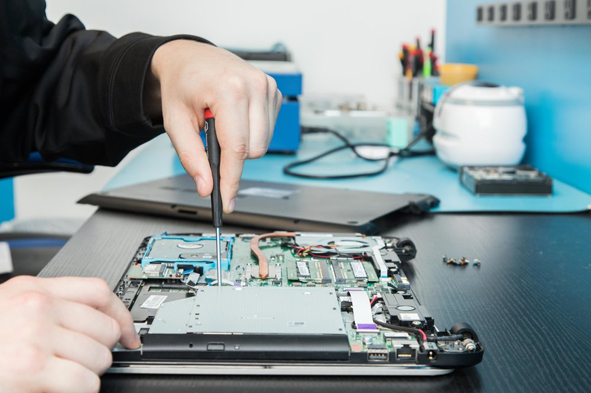
Identifying Common Issues:
Before diving into the repair process, it’s essential to accurately diagnose the problem with your Dell laptop. Some of the most common issues users encounter include:
1.Screen Issues: Cracked screens, flickering displays, or no display at all.
2. Keyboard Problems: Stuck or unresponsive keys, spilled liquid causing keyboard malfunction.
3. Battery Drainage: Rapid battery depletion, failure to hold a charge.
4. Slow Performance: Lagging, freezing, or crashing programs.
5. Overheating: Excessive heat production, fan failure, shutdown due to overheating.
6. Connectivity Problems: Wi-Fi or Bluetooth connectivity issues.
7. Hardware Failures: Hard drive failures, RAM issues, motherboard problems.

Repair Solutions:
Once you’ve identified the specific issue plaguing your Dell laptop, you can proceed with the appropriate repair solution:
Screen Replacement:
Purchase a compatible replacement screen online.
Follow online tutorials or refer to Dell’s service manual for step-by-step instructions.
Exercise caution when handling delicate components and ensure proper connection of cables.
Keyboard Repair:
If the issue is due to liquid spillage, immediately power off the laptop and disconnect it from the power source.
Remove the affected keys and clean the spillage using isopropyl alcohol and a soft cloth.
Allow the keyboard to dry thoroughly before reassembling it.
Battery Replacement:
Order a new battery compatible with your Dell laptop model.
Power off the laptop and disconnect it from the power source.
Remove the old battery by following the instructions provided in the service manual.
Install the new battery carefully, ensuring proper alignment and connection.
Performance Optimization:
Perform a thorough system scan using antivirus software to detect and remove malware.
Uninstall unnecessary programs and delete temporary files to free up disk space.
Upgrade the RAM or replace the hard drive with a solid-state drive (SSD) for improved performance.
Overheating Prevention:
Ensure proper ventilation by keeping the laptop on a flat, hard surface.
Clean the cooling fan and vents regularly to remove dust and debris.
Consider using a laptop cooling pad to enhance airflow and dissipate heat effectively.
Connectivity Troubleshooting:
Update the Wi-Fi or Bluetooth drivers to the latest version.
Reset network settings and restart the laptop to resolve connectivity issues.
Check for physical damage to the network adapter or antenna cables and replace if necessary.

Dell laptops are known for their reliability and performance, but like any electronic device, they may encounter problems over time. By familiarizing yourself with common issues and implementing the appropriate repair solutions outlined in this guide, you can effectively troubleshoot and resolve issues with your Dell laptop. Remember to exercise caution when performing repairs and seek professional assistance if you’re unsure about handling complex issues. With the right knowledge and resources, you can prolong the lifespan of your Dell laptop and ensure uninterrupted productivity and enjoyment.
PC Expert Services is ready to get the job done with high quality computer repair, experienced and reliable laptop repair, detailed and professional customer service without any hidden fees and upfront pricing in Irvine, Orange County.
Recent Posts
MacBook Repair Services: Fast, Reliable, and Professional Solutions
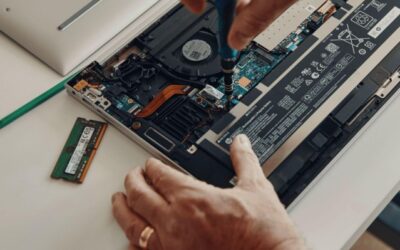
Reliable HP Laptop Repair Services: What You Need to Know
In today’s fast-paced digital world, laptops are essential for both personal and professional use. HP laptops, known for their performance and reliability, are widely...

Why Your Laptop Battery Drains So Fast — and How to Fix It
There’s nothing more frustrating than watching your laptop’s battery percentage drop rapidly when you need it most. Whether you’re working remotely, attending online...