
Laptop Hinge Repair: What You Need to Know
Laptop Hinge Repair: What You Need to Know
Why Laptop Hinges Break
Laptop hinges are subjected to daily wear and tear, especially if you’re constantly opening and closing the lid. Common causes of hinge damage include:
-
Poor build quality – especially in older or budget models
-
Overtightened screws – causing excess pressure
-
Drops or impacts
-
Using one hand to open/close the lid unevenly
-
Dust buildup or corrosion
Signs of a Broken Laptop Hinge
You might not notice hinge damage at first, but here are some tell-tale signs:
-
The screen wobbles or doesn’t stay in place
-
A cracking or popping sound when opening/closing the lid
-
Visible gaps or misalignment near the hinge area
-
Stiff movement or resistance when opening the laptop
-
The screen separates from the base
DIY vs Professional Repair: What’s Best?
DIY Repair
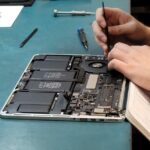
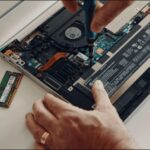
If you’re comfortable opening up your laptop, you can attempt a hinge repair at home. Here’s a basic outline of the process:
Tools you’ll need:
-
Small screwdriver set (usually Phillips head)
-
Plastic pry tools
-
Replacement hinges (model-specific)
-
Super glue or epoxy (optional, for cracked plastic)
-
Tweezers or small pliers
Steps:
- Power off and unplug the laptop. Remove the battery if possible.
- Open the back panel to access internal screws.
- Carefully remove the screen bezel and locate the damaged hinge.
- Replace or reinforce the hinge using new parts or strong adhesive.
- Reassemble everything in reverse order.
🔧 Pro Tip: Always work on a static-free surface and keep track of screws by grouping them based on location.
Professional Repair
If your laptop is still under warranty, avoid DIY fixes—tampering can void it. A professional technician can often:
-
Replace hinges more precisely
-
Repair cracked casing
-
Realign and secure display and base
-
Offer warranty or guarantees for the repair
How to Prevent Future Hinge Issues
-
Always open/close your laptop with both hands, from the center of the lid
-
Avoid overextending the screen
-
Keep the laptop on a stable surface
-
Clean dust buildup around the hinge area regularly
-
Don’t carry your laptop by the screen
Conclusion
A broken laptop hinge isn’t just a cosmetic issue—it can compromise the usability and safety of your device. Whether you choose the DIY route or visit a repair shop, it’s best to fix it sooner rather than later to avoid more costly damage.
Need help with a hinge repair? Contact us or drop your laptop at our dropoff location in Irvine for a free estimate!