PC Expert Services, Computer and laptop repair in Irvine, Orange County, CA
Should You Shut Down Your Laptop or Just Close the Lid?

Should You Shut Down Your Laptop or Just Close the Lid?

Should You Shut Down Your Laptop or Just Close the Lid?

If you’ve ever wondered whether it’s better to shut down your laptop or simply close the lid, you’re not alone. This is one of the most common questions among laptop users—and the answer depends on how you use your device.

In this guide, we’ll break down the differences between sleep mode vs shutdown, and help you decide which option is best for performance, battery life, and long-term reliability.


What Happens When You Close the Lid?

When you close your laptop lid, most systems enter sleep mode. In this state:

  • Your open apps and files are stored in RAM
  • The system uses very little power
  • You can resume your session instantly

Benefits of Sleep Mode

  • Fast and convenient access to your work
  • No need to reopen programs or files
  • Ideal for short breaks or daily use

Drawbacks of Sleep Mode

  • Still consumes a small amount of battery
  • Background processes may continue running
  • Can lead to slower performance over time if not restarted

What Happens When You Shut Down Your Laptop?

Shutting down your laptop completely powers off the system:

  • All processes are stopped
  • RAM is cleared
  • No battery is used while powered off

Benefits of Shutting Down

  • Improves system performance over time
  • Helps fix software glitches and freezing issues
  • Essential for system updates and maintenance
  • Conserves battery completely

Drawbacks of Shutting Down

  • Slower startup time
  • Requires reopening apps and files

Sleep vs Shutdown: Which Is Better?

Use Sleep Mode if:

  • You plan to use your laptop again soon
  • You need quick access without waiting
  • You’re working throughout the day

Shut Down Your Laptop if:

  • You won’t use it for an extended period
  • Your laptop is running slow or overheating
  • You’re troubleshooting or installing updates
  • You want to extend battery lifespan

How Often Should You Shut Down Your Laptop?

For optimal performance, it’s recommended to:

  • Use sleep mode for daily convenience
  • Perform a full shutdown or restart at least once per week

This helps clear memory, refresh system processes, and maintain overall performance.


Expert Tip: Improve Laptop Performance

If your laptop is experiencing:

  • Slow performance
  • Overheating
  • Battery drain issues
  • Problems waking from sleep

It may require professional diagnostics.

PC Expert Services provides:

  • Laptop diagnostics and performance optimization
  • Hardware repairs (battery, screen, motherboard)
  • Data recovery and system troubleshooting

Final Thoughts

Choosing between shutting down your laptop or closing the lid comes down to your usage habits. For everyday convenience, sleep mode works well—but regular shutdowns are essential for keeping your system running efficiently.

If your laptop isn’t performing as it should, PC Expert Services support can help extend its lifespan and restore performance.
Lenovo Laptop Repair in Irvine, CA | PC Expert Services

Lenovo Laptop Repair in Irvine, CA | PC Expert Services

If you’re searching for Lenovo laptop repair in Irvine, CA, PC Expert Services provides fast, professional, and affordable solutions. Whether your laptop has a cracked screen, battery issues, or won’t turn on, our experienced technicians are here to help.

We specialize in repairing all Lenovo laptop models with quick turnaround times and transparent pricing.

Why Choose PC Expert Services in Irvine?

When it comes to Lenovo repair near you, choosing the right service provider matters.

  • ✅ Same-day Lenovo laptop repair (in most cases)
  • ✅ Free diagnostic with repair
  • ✅ Experienced technicians
  • ✅ High-quality replacement parts
  • ✅ Convenient Irvine drop-off location
  • ✅ Excellent customer service and support

Our goal is simple: get your Lenovo laptop back to working condition as quickly as possible.

Common Lenovo Laptop Repairs We Offer

We handle all types of Lenovo laptop issues, including:

💻 Lenovo Screen Replacement Irvine

Cracked or flickering screen? We provide fast and affordable screen replacements.

🔋 Lenovo Battery Replacement

Battery draining fast or not charging? We install reliable replacement batteries.

⌨️ Keyboard & Trackpad Repair

Fix unresponsive keys or trackpad issues to restore full functionality.

💧 Liquid Damage Repair

Spilled liquid? We offer advanced internal cleaning and board-level repair.

🧠 Lenovo Motherboard Repair

We specialize in diagnosing and repairing no power, no display, and boot issues.

Lenovo Models We Repair

Our technicians service all major Lenovo laptop models:

  • Lenovo ThinkPad repair
  • Lenovo IdeaPad repair
  • Lenovo Yoga repair
  • Lenovo Legion repair

No matter the issue, we have the tools and expertise to fix it.

Our Lenovo Repair Process

At PC Expert Services, we make the repair process simple:

  1. Submit your repair request online
  2. Drop off your laptop at our Irvine location
  3. Receive a detailed diagnostic and estimate
  4. Approve the repair
  5. Quick repair and quality testing

Serving Irvine and Nearby Areas

We proudly serve customers in:

If you’re looking for Lenovo laptop repair near you, PC Expert Services is your trusted local solution.

Tips to Extend Your Lenovo Laptop’s Life

  • Keep your laptop clean and dust-free
  • Avoid overheating with proper ventilation
  • Use a surge protector
  • Update software and drivers regularly

Contact PC Expert Services Today

If your Lenovo laptop is not performing as it should, don’t wait.

📍 Location: Irvine, CA
🌐 Website: pcexpertservices.com
🛠️ Service: Lenovo Laptop Repair, Diagnostics, Hardware Repair

👉 Visit our Irvine location or submit a drop-off request online today for fast and professional service.

Final Thoughts

At PC Expert Services, we understand how important your Lenovo laptop is to your daily life. That’s why we focus on fast turnaround, quality repairs, and excellent customer service.

For trusted Lenovo laptop repair in Irvine, choose a local expert that delivers results.

Why Your Laptop Battery Drains So Fast — and How to Fix It

Why Your Laptop Battery Drains So Fast — and How to Fix It

Why Your Laptop Battery Drains So Fast — and How to Fix It

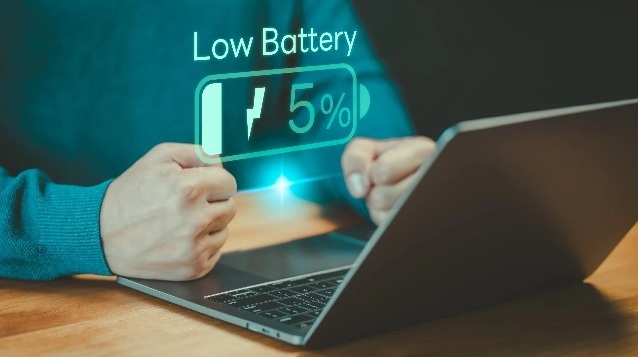
There’s nothing more frustrating than watching your laptop’s battery percentage drop rapidly when you need it most. Whether you’re working remotely, attending online classes, or streaming your favorite show, unexpected battery drainage can disrupt your day.

Let’s explore the most common causes of laptop battery drain — and some easy, effective ways to extend your battery life.

Why Your Laptop Battery Drains So Fast and How to Fix It

Common Causes of Laptop Battery Drain

1. Too Many Background Apps

Applications running quietly in the background (like cloud sync tools, chat apps, or antivirus scans) can consume power even when you’re not actively using them.

Fix:

  • Check your Task Manager (Windows) or Activity Monitor (Mac) for background apps.

  • Close unnecessary programs and disable auto-start for those you rarely use.

2. High Screen Brightness

Your laptop display is one of the biggest power consumers. Keeping it at 100% brightness can cut battery life significantly.

Fix:

  • Lower your screen brightness to a comfortable level.

  • Use adaptive brightness if your device supports it.

3. Wi-Fi and Bluetooth Always On

If your laptop is constantly searching for networks or Bluetooth devices, it’s draining your battery.

Fix:

  • Turn off Wi-Fi and Bluetooth when not in use.

  • Use Airplane Mode for offline tasks.

4. Old or Failing Battery

Laptop batteries naturally degrade over time. After a few years of regular use, even with good habits, they hold less charge.

Fix:

  • Check your battery health (Windows: powercfg /batteryreport, macOS: System Settings > Battery > Battery Health).

  • If it’s below 80% capacity, consider a replacement.

5. Heavy Processes or High CPU Usage

Running games, editing videos, or having too many browser tabs open increases CPU activity — which drains the battery faster.

Fix:

  • Close tabs and background tasks you don’t need.

  • Switch to “Battery Saver” or “Energy Efficient” mode.

6. Outdated Drivers or System Software

Outdated firmware or drivers can cause poor power management.

Fix:

  • Regularly update your operating system and drivers.

  • Enable automatic updates for critical patches.

⚙️ Bonus Tips to Extend Battery Life

  • Keep your laptop cool: Heat shortens battery lifespan — use a cooling pad or keep the vents clear.

  • Avoid full discharges: Try to keep your charge between 20%–80%.

  • Use dark mode: Saves energy, especially on OLED screens.

  • Hibernate instead of sleep: For long breaks, hibernate saves more power.

🧰 When to Get Professional Help

If you’ve tried all the above fixes and your laptop battery is still draining quickly, it might be time for a deeper inspection.
Dropoff your laptop at PC Expert Services for a professional diagnosis and reliable repair. Their certified technicians can test your battery health, identify hidden hardware issues, and recommend the best long-term solution.

Lenovo Gaming Laptop Repair in Irvine – Fast & Reliable at PC Expert Services

Lenovo Gaming Laptop Repair in Irvine – Fast & Reliable at PC Expert Services

Lenovo Gaming Laptop Repair in Irvine – Fast & Reliable at PC Expert Services

Lenovo Gaming Laptop Repair in Irvine

Is your Lenovo Legion or IdeaPad Gaming laptop acting up? Whether it’s running hot, freezing during games, or not turning on at all, PC Expert Services in Irvine has you covered.

Our certified technicians specialize in diagnosing and repairing all Lenovo gaming laptops with precision and care. From fan replacements and screen repairs to full system diagnostics, we use only genuine Lenovo parts to get your laptop back to peak performance.

Why Choose PC Expert Services?
🛠️ Lenovo Gaming Laptop Experts
📍 Conveniently Located in Irvine
⚙️ Fast Turnaround & Trusted Repairs
🔧 Honest Diagnostics – No Surprises

🎮 Let’s fix your laptop – starting today!
Fill out our quick Drop-Off Form and bring your Lenovo gaming laptop in for expert service.

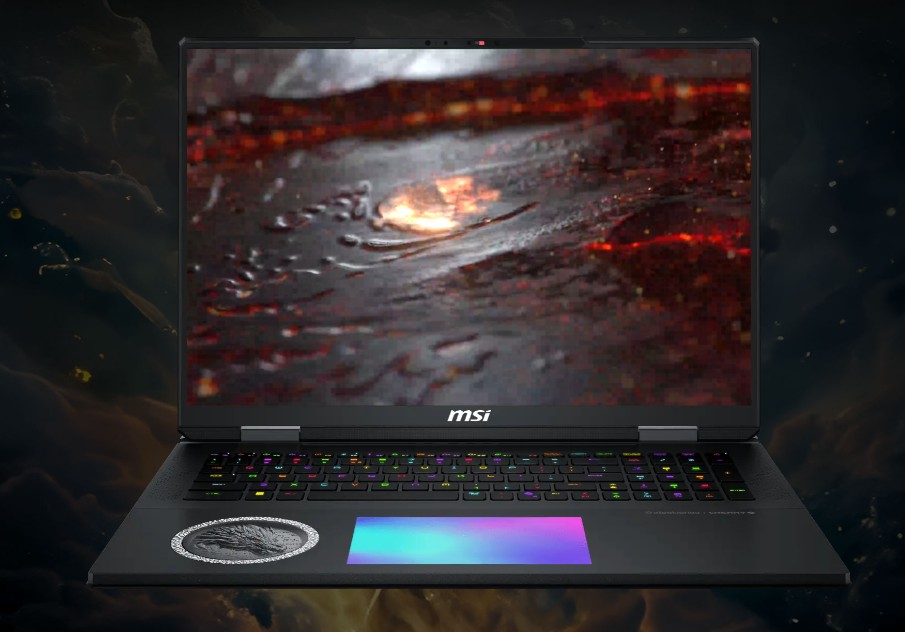
Top-Tier MSI Gaming Laptop Repair in Irvine – PC Expert Services

Top-Tier MSI Gaming Laptop Repair in Irvine – PC Expert Services

Top-Tier MSI Gaming Laptop Repair in Irvine – PC Expert Services

Top-Tier MSI Gaming Laptop Repair in Irvine – PC Expert Services

Is your MSI gaming laptop running slow, overheating, or refusing to boot? At PC Expert Services in Irvine, we specialize in expert MSI laptop repair for models like GE, GP, GS, and GL series. From hardware issues to software glitches, our certified technicians know how to get you back in the game—fast.

Whether it’s a cracked screen, dead battery, fan noise, or performance lag, we use genuine parts and precision diagnostics to ensure your MSI system is fully restored.

Why Choose PC Expert Services?
✔ MSI Gaming Laptop Specialists
✔ Fast, Local Repairs in Irvine
✔ Certified Technicians
✔ Honest Diagnostics & Estimates
✔ Quality Work with Genuine Parts

🎮 Ready to get started?
Submit your device using our simple Drop-Off Form and let us take it from there.

ASUS Gaming Laptop Repair in Irvine – Get Back in the Game Fast

ASUS Gaming Laptop Repair in Irvine – Get Back in the Game Fast

ASUS Gaming Laptop Repair in Irvine – Get Back in the Game Fast

ASUS Gaming Laptop Repair in Irvine – Get Back in the Game Fast

Is your ASUS ROG or TUF gaming laptop acting up? Whether it’s crashing during gameplay, overheating, or showing signs of wear and tear, we’ve got you covered right here in Irvine.

Our local ASUS Gaming Laptop Repair experts specialize in fast, reliable service for all ASUS gaming models. From screen replacements and keyboard issues to Fan repairs and thermal cleaning, we handle it all using genuine ASUS parts and advanced diagnostic tools.

Why Irvine Gamers Trust Us:

  • 🎮 ASUS ROG & TUF Specialists

  • 🔧 Certified Technicians in Irvine

  • 💨 Fast Turnaround Times

  • 🧩 Only Genuine ASUS Parts

  • 📍 Conveniently Located in the Heart of Irvine

Don’t let laptop problems slow down your game. submit your repair online—and let our Irvine team bring your ASUS gaming laptop back to peak performance.