PC Expert Services, Computer and laptop repair in Irvine, Orange County, CA
ASUS Gaming Laptop Repair in Irvine – Get Back in the Game Fast

ASUS Gaming Laptop Repair in Irvine – Get Back in the Game Fast

ASUS Gaming Laptop Repair in Irvine – Get Back in the Game Fast

ASUS Gaming Laptop Repair in Irvine – Get Back in the Game Fast

Is your ASUS ROG or TUF gaming laptop acting up? Whether it’s crashing during gameplay, overheating, or showing signs of wear and tear, we’ve got you covered right here in Irvine.

Our local ASUS Gaming Laptop Repair experts specialize in fast, reliable service for all ASUS gaming models. From screen replacements and keyboard issues to Fan repairs and thermal cleaning, we handle it all using genuine ASUS parts and advanced diagnostic tools.

Why Irvine Gamers Trust Us:

  • 🎮 ASUS ROG & TUF Specialists

  • 🔧 Certified Technicians in Irvine

  • 💨 Fast Turnaround Times

  • 🧩 Only Genuine ASUS Parts

  • 📍 Conveniently Located in the Heart of Irvine

Don’t let laptop problems slow down your game. submit your repair online—and let our Irvine team bring your ASUS gaming laptop back to peak performance.
Laptop LCD Replacement Services

Laptop LCD Replacement Services

Laptop LCD Replacement Services

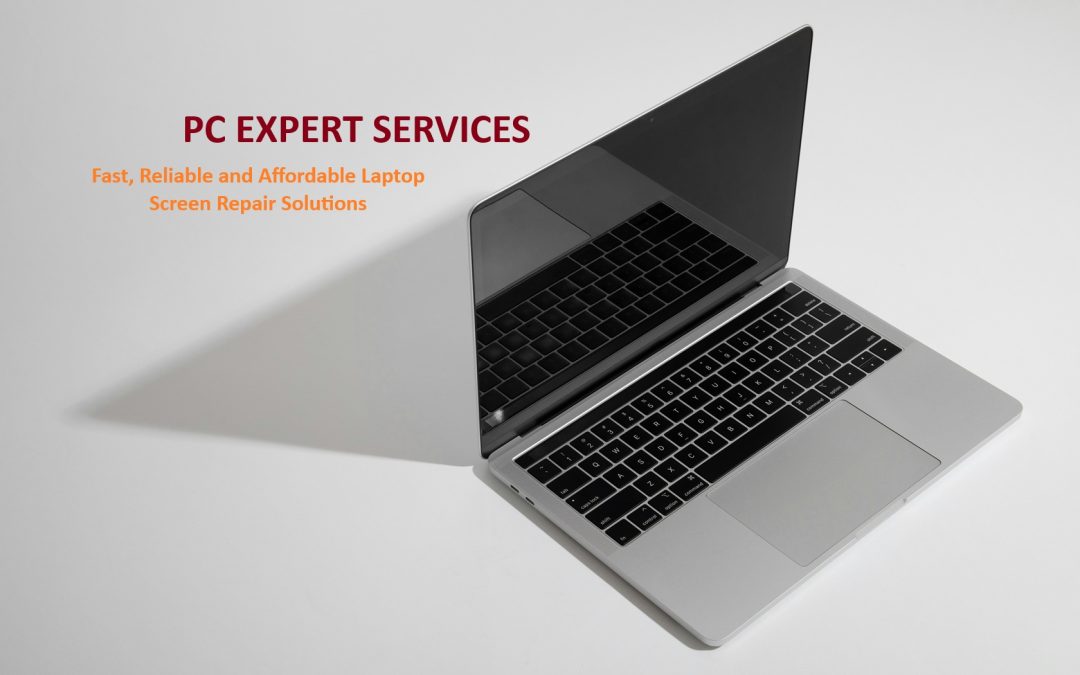
Fast, Reliable, and Affordable Screen Repair Solutions

At PC Expert Serviecs in Irvine, we specialize in high-quality laptop LCD screen replacements for all major brands, including Dell, HP, Lenovo, Apple, ASUS, Acer, and more. Whether your screen is cracked, flickering, displaying dead pixels, or completely black, our expert technicians can restore your device to perfect working condition—quickly and professionally.

Why Choose Us?

  • Certified Technicians: Our team is trained to handle delicate screen replacements with precision and care.

  • Genuine Parts: We use only OEM or high-quality compatible LCD screens to ensure the best visual performance and durability.

  • Fast Turnaround: Most screen replacements are completed within 24–48 hours.

  • Competitive Pricing: Transparent, upfront pricing with no hidden fees.

  • Warranty Included: Enjoy peace of mind with our parts and labor warranty on every repair.

Common Screen Issues We Fix:

  • Cracked or shattered screens

  • Flickering or dim display

  • Lines or dead pixels on the screen

  • Touchscreen not responding (for touchscreen models)

  • Backlight issues or black screen

How It Works:

Request a Quote: Submit your laptop model and a brief description of the issue.
Ship or Drop Off: Send in your laptop or bring it to our service center.
Repair & Return: We replace the screen and run a full diagnostic before returning your laptop.

Get a Free Quote Today!

Don’t let a broken screen slow you down. Contact us today to get a free estimate or schedule your LCD replacement service.

PC Expert Services Laptop Screen Replacement Quick Quote

Please select your Laptop brand from dop down menu.
Please type your Lapotp Model Number

Please fill and submit the Quick Quote Form and we will get back to you with a repair quote for your laptop screen  replacement. 

Laptop LCD Screen Repair

PC Expert Services Dropoff Location

PC Expert Services Irvine
IRVINE BUSINESS CENTER
7545 Irvine Center Drive
Suite 200
Irvine, CA 92618
(949) 478 - 1502

Regus Irvine Center Drive

Unable to work? Your computer not starting up?

We’ll help you get back to work. Fast and affordable!

Laptop Hinge Repair: What You Need to Know

Laptop Hinge Repair: What You Need to Know

Laptop Hinge Repair: What You Need to Know

A cracked or loose laptop hinge might seem like a minor issue, but if ignored, it can lead to serious damage—both to the screen and the internal components. Whether you’re a DIY enthusiast or someone considering professional repair, this guide will walk you through everything you need to know about laptop hinge issues and how to fix them.
Laptop Hinge repair at PC Expert Services in Irvine

Why Laptop Hinges Break

Laptop hinges are subjected to daily wear and tear, especially if you’re constantly opening and closing the lid. Common causes of hinge damage include:

  • Poor build quality – especially in older or budget models

  • Overtightened screws – causing excess pressure

  • Drops or impacts

  • Using one hand to open/close the lid unevenly

  • Dust buildup or corrosion

Signs of a Broken Laptop Hinge

You might not notice hinge damage at first, but here are some tell-tale signs:

  • The screen wobbles or doesn’t stay in place

  • A cracking or popping sound when opening/closing the lid

  • Visible gaps or misalignment near the hinge area

  • Stiff movement or resistance when opening the laptop

  • The screen separates from the base

DIY vs Professional Repair: What’s Best?

DIY Repair

If you’re comfortable opening up your laptop, you can attempt a hinge repair at home. Here’s a basic outline of the process:

Tools you’ll need:

  • Small screwdriver set (usually Phillips head)

  • Plastic pry tools

  • Replacement hinges (model-specific)

  • Super glue or epoxy (optional, for cracked plastic)

  • Tweezers or small pliers

Steps:

  1. Power off and unplug the laptop. Remove the battery if possible.
  2. Open the back panel to access internal screws.
  3. Carefully remove the screen bezel and locate the damaged hinge.
  4. Replace or reinforce the hinge using new parts or strong adhesive.
  5. Reassemble everything in reverse order.

🔧 Pro Tip: Always work on a static-free surface and keep track of screws by grouping them based on location.

Professional Repair

If your laptop is still under warranty, avoid DIY fixes—tampering can void it. A professional technician can often:

  • Replace hinges more precisely

  • Repair cracked casing

  • Realign and secure display and base

  • Offer warranty or guarantees for the repair

How to Prevent Future Hinge Issues

  • Always open/close your laptop with both hands, from the center of the lid

  • Avoid overextending the screen

  • Keep the laptop on a stable surface

  • Clean dust buildup around the hinge area regularly

  • Don’t carry your laptop by the screen

Conclusion

A broken laptop hinge isn’t just a cosmetic issue—it can compromise the usability and safety of your device. Whether you choose the DIY route or visit a repair shop, it’s best to fix it sooner rather than later to avoid more costly damage.

Need help with a hinge repair? Contact us or drop your laptop at our dropoff location in Irvine for a free estimate!

No Bootable Device Found – What It Means and How to Fix It

No Bootable Device Found – What It Means and How to Fix It

“No Bootable Device Found” – What It Means and How to Fix It

Few things are more alarming than turning on your computer and seeing the message: “No Bootable Device Found.”

This error means your system can’t locate an operating system to start from, leaving you stuck at startup. But don’t panic—this is often fixable with a few steps.

What It Is:

Your computer is trying to start up (or “boot”) but can’t find a drive that has a valid operating system (like Windows, Linux, or macOS). As a result, it halts and shows an error on screen.

No boot able device found - how to fix it

Common Causes:

  • 🛠️ Disconnected or Failed Hard Drive: The internal drive may have come loose (especially if the computer was dropped or opened recently), or the drive may have failed entirely.

  • ⚙️ Incorrect BIOS/UEFI Settings: If the boot order is wrong, the system might try to boot from the wrong device—like an empty USB port or network device.

  • 🔄 Corrupted Bootloader or OS Files: Sometimes system files are damaged due to a failed update or improper shutdown, making the drive unreadable during boot.

  • 🔌 Loose or Damaged SATA/Power Cables: Physical connections from the motherboard to the hard drive might be loose or damaged.

How to Fix It:

1. Check the Boot Order in BIOS/UEFI

  • Restart the computer and enter BIOS/UEFI (usually by pressing F2, F10, DEL, or ESC during startup).

  • Navigate to the Boot menu.

  • Ensure your system drive (e.g., SSD or HDD) is listed first in the boot sequence.

2. Reconnect or Reseat Internal Drives

  • Power off your PC and unplug it.

  • Open the case (if it’s a desktop) or access the drive bay (for laptops).

  • Ensure all cables connected to your drive are secure. If it’s a laptop with a removable hard drive, make sure it’s seated properly.

3. Run a Diagnostic Tool

  • Many PCs offer built-in diagnostics you can access from the BIOS menu.

  • Run a hard drive test to check for hardware failure.

4. Use a Bootable USB or Recovery Media

  • If the system files are corrupted, boot from a recovery drive or installation media.

  • Use the repair options to fix startup issues:

    • On Windows: Choose “Startup Repair”.

    • On macOS: Boot into Recovery Mode and use Disk Utility.

5. Replace the Drive (If Necessary)

  • If the drive has failed (you’ll often hear clicking noises or get error codes), it may need replacing.

  • Restore your OS from a backup or reinstall it using recovery media.

At PC Expert Services, we are committed to providing accurate and reliable repair estimates. To ensure this, we offer a free diagnostic service to thoroughly assess your device and identify the exact issue.

Laptop Repair in Foothill Ranch, CA

Laptop Repair in Foothill Ranch, CA

Welcome to PC Expert Services in Foothill Ranch

PC Expert Services Foothill Ranch Computer Repair Services

Professional Computer and Laptop Repair Services in Foothill Ranch

Computer Repair Made Simple

It’s easy to repair computers with PC Expert Services.

l

Submit Form

Dropoff Device

Approve Estimate

Complete Payment

N

Pickup Device

Laptop Repair Service


Any Brand & Model

Quick Turn-around

Microsoft Certified

A+ Certified Technician


Laptop Repair Services

  • Laptop Hinge Repair
  • Laptop CPU Repair
  • Laptop Motherboard Repair
  • Laptop Speaker Repair
  • Laptop Battery Replacement
  • Laptop  Camera Repair
  • Laptop SSD Upgrade
  • Laptop Windows OS Upgrade
  • Laptop Windows OS Repair
  • Laptop Data Recovery
  • Laptop LCD Screen Repair
  • Laptop Keyboard Repair
  • Laptop GPU Repair
  • Laptop Power Button Repair
  • Laptop TouchPad Repair
  • Laptop Noise Repair
  • Laptop Overheating Repair
  • Laptop BSOD Repair
  • Laptop Liquid Spill Repair
  • Laptop Touch Screen Replacement

Professional Laptop Repair in Irvine

Professional Laptop Repair in Irvine

Expert Laptop Repair Services in Irvine

Get Your Laptop Fixed Today!

We specialize in fast, reliable laptop repair services to get you back to work or play in no time.

Our Laptop Repair Services in Irvine

Laptop LCD Screen Replacement

We replace broken or malfunctioning laptop screens with high-quality replacements.

Laptop Keyboard Repair

Fix unresponsive or damaged keyboards to restore full functionality.

Laptop Speaker Repair

Repair or replace faulty speakers to ensure clear and crisp sound.

Laptop Battery Replacement

Replace old or dead batteries to extend your laptop’s life and performance.

Laptop Hinge Repair

Laptop Windows 11 Repair

Laptop Windows 10 Repair

Book Your Laptop Repair Service Today!

Don’t let a malfunctioning laptop slow you down. Our expert technicians in Irvine are ready to fix any issue, from screen replacements to motherboard repairs. Click below to book your appointment and get back to peak productivity!